> For the complete documentation index, see [llms.txt](https://guide.maps.gov.sg/llms.txt). Markdown versions of documentation pages are available by appending `.md` to page URLs; this page is available as [Markdown](https://guide.maps.gov.sg/making-updates-to-your-map/updating-locations.md).
# Updating locations
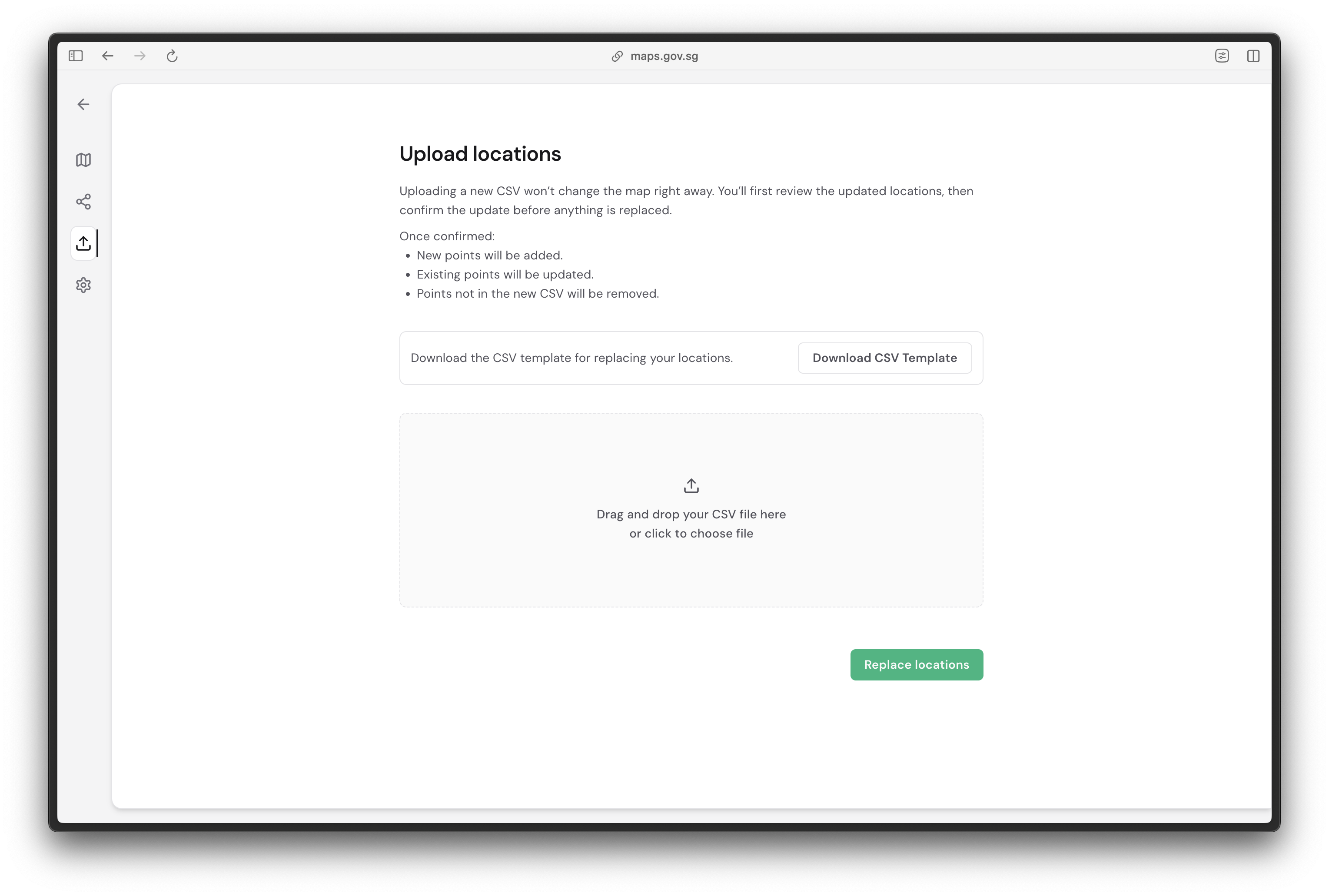
You may add new map markers or make changes to existing map markers by [updating your CSV file](/creating-your-map/setting-up-your-csv-file.md). Your new CSV file replaces all locations on the map:
* New points will be added.
* Existing points will be updated.
* Points not in the new CSV will be removed.
{% hint style="warning" %}
Include every location you want to keep in your new CSV file. Any location missing from the file is removed from the map when you update to the new version.
{% endhint %}
Click on the **Replace markers** icon on the navigation bar on the left, upload your new CSV file, then click **Replace locations**.
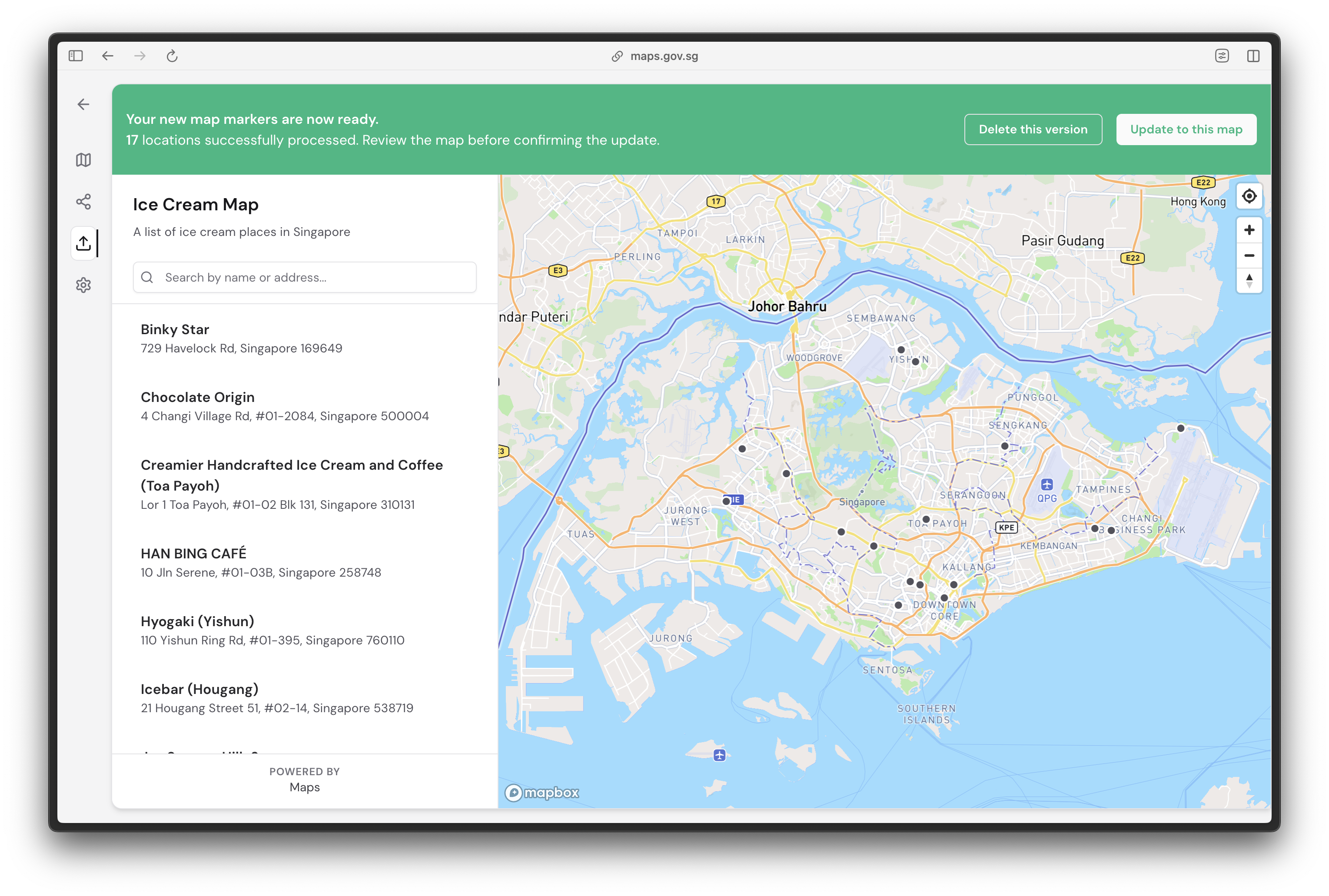
You will be prompted to review the draft before deciding to **Delete this version** or **Update to this map**.
Click on **Update to this map** and your map will reflect the latest CSV file's data.