> For the complete documentation index, see [llms.txt](https://guide.maps.gov.sg/llms.txt). Markdown versions of documentation pages are available by appending `.md` to page URLs; this page is available as [Markdown](https://guide.maps.gov.sg/creating-your-map/setting-up-your-csv-file/adding-notes-and-links.md).
# Adding notes and links
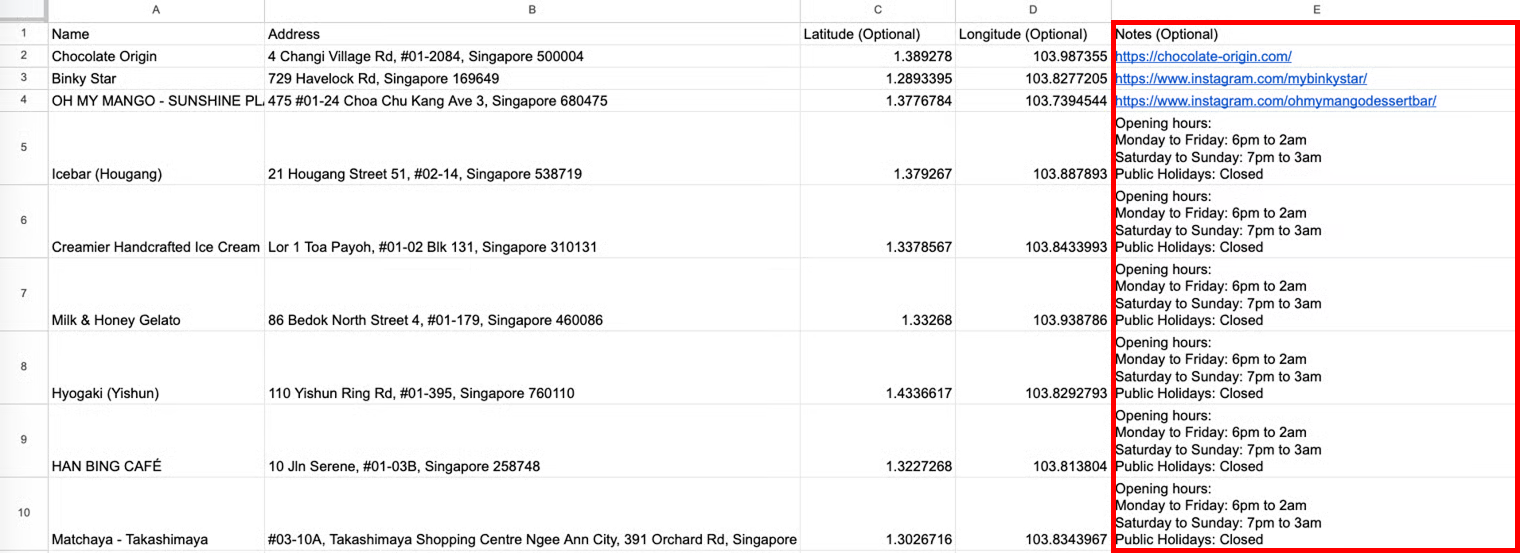
Notes allow you to include **any additional information** for each location. This section is **optional**.
## Set up your CSV file as follows
| Column | Description | Example |
| ---------------- | -------------------------------------------------------------------------------------------------------------------------------------------------------------------------------------------------------------------------------------------- | ------------------------------------------------------------------------------------------------------------------------------------------------------------------------------------- |
| Notes (Optional) |
Any additional information to be shown to citizens, such as:
opening hours of location
links
event details
latest update
Links added in this column will be automatically hyperlinked.
|
Opening hours: Monday to Friday: 6pm to 2am Saturday to Sunday: 7pm to 3am Public Holidays: Closed
|
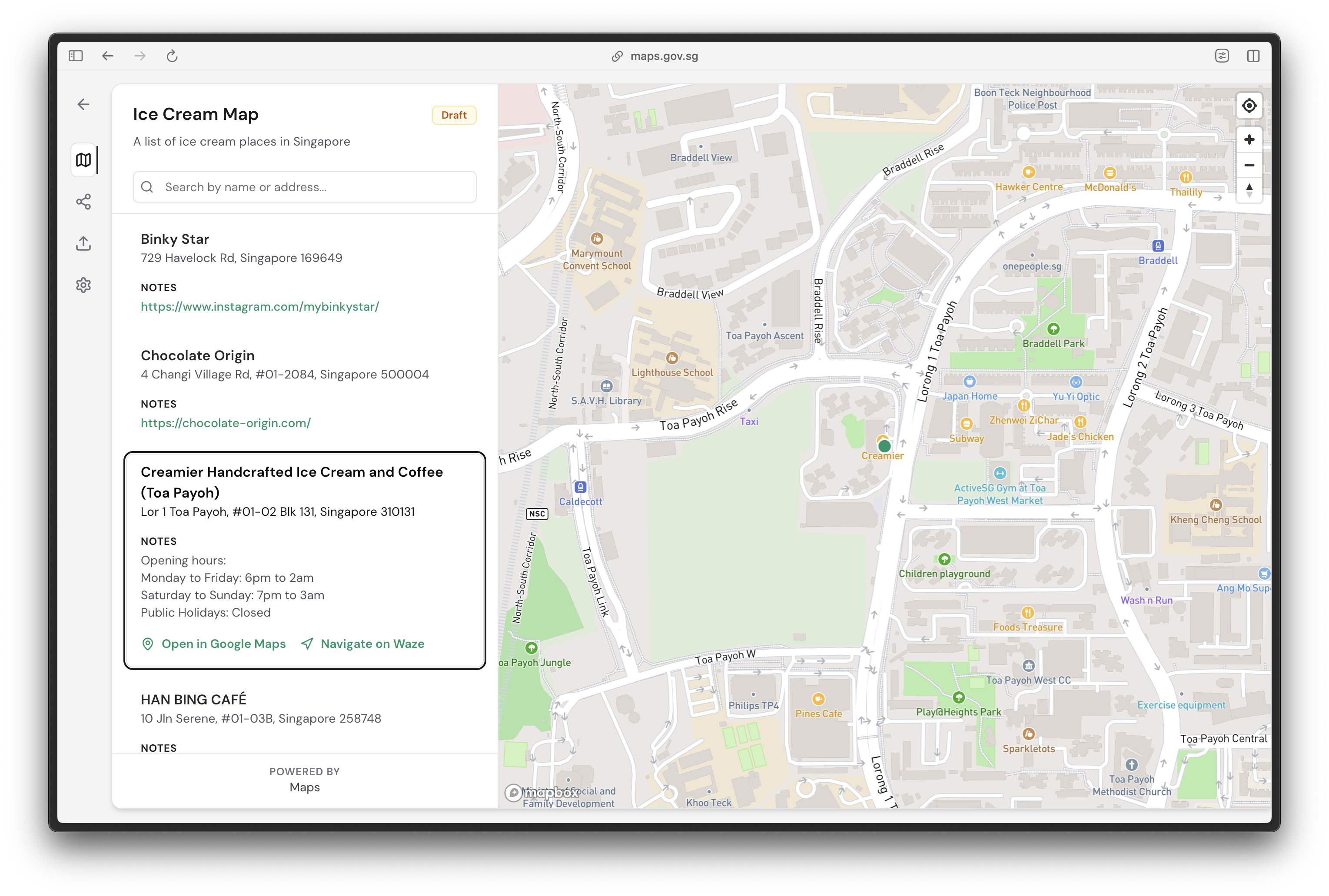
## What it looks like on Maps
After setting up your CSV file, upload it to Maps and preview your locations.
Each location point will have its dedicated notes section.