> For the complete documentation index, see [llms.txt](https://guide.maps.gov.sg/llms.txt). Markdown versions of documentation pages are available by appending `.md` to page URLs; this page is available as [Markdown](https://guide.maps.gov.sg/creating-your-map/setting-up-your-csv-file/adding-filters.md).
# Adding filters
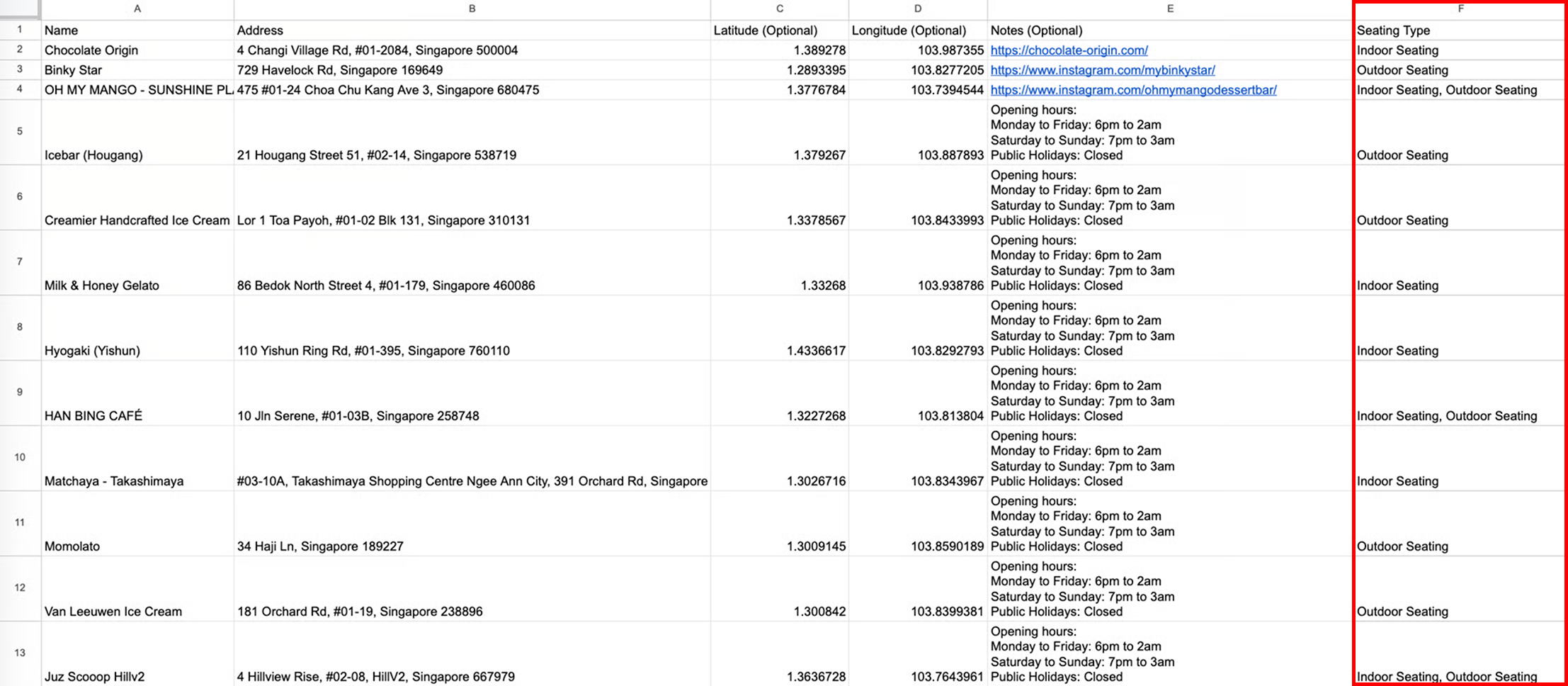
Filters allow users to **narrow their search according to their specific requirements**. Simply add an additional column on the right of your CSV file, after the 'Notes' column. Filters are **optional**.
{% hint style="info" %}
You can add multiple filters by adding more columns. Each location can have values in up to 10 filter columns. If any row contains values in more than 10 filter columns, Maps rejects the CSV file and shows the error `Maximum of 10 filter columns allowed`.
{% endhint %}
## Set up your CSV file as follows
{% hint style="info" %}
Do note that the name of your column (in the example below, "Seating Type") will determine the name of your filter.
{% endhint %}
| Column name (Filter name) | Description | Example |
| ------------------------- | ------------------------------------------------------------------------------------------------------------------------------------------------------------------------------------------------------------------------------------- | ------------------------------------------- |
| Seating Type |
The column name will be the Filter Name.
Enter the filter values for each location in the corresponding fields in this column.
For points with multiple values under a single filter, separate them with commas.
| Indoor Seating, Outdoor seating, No seating |
## What it looks like on Maps
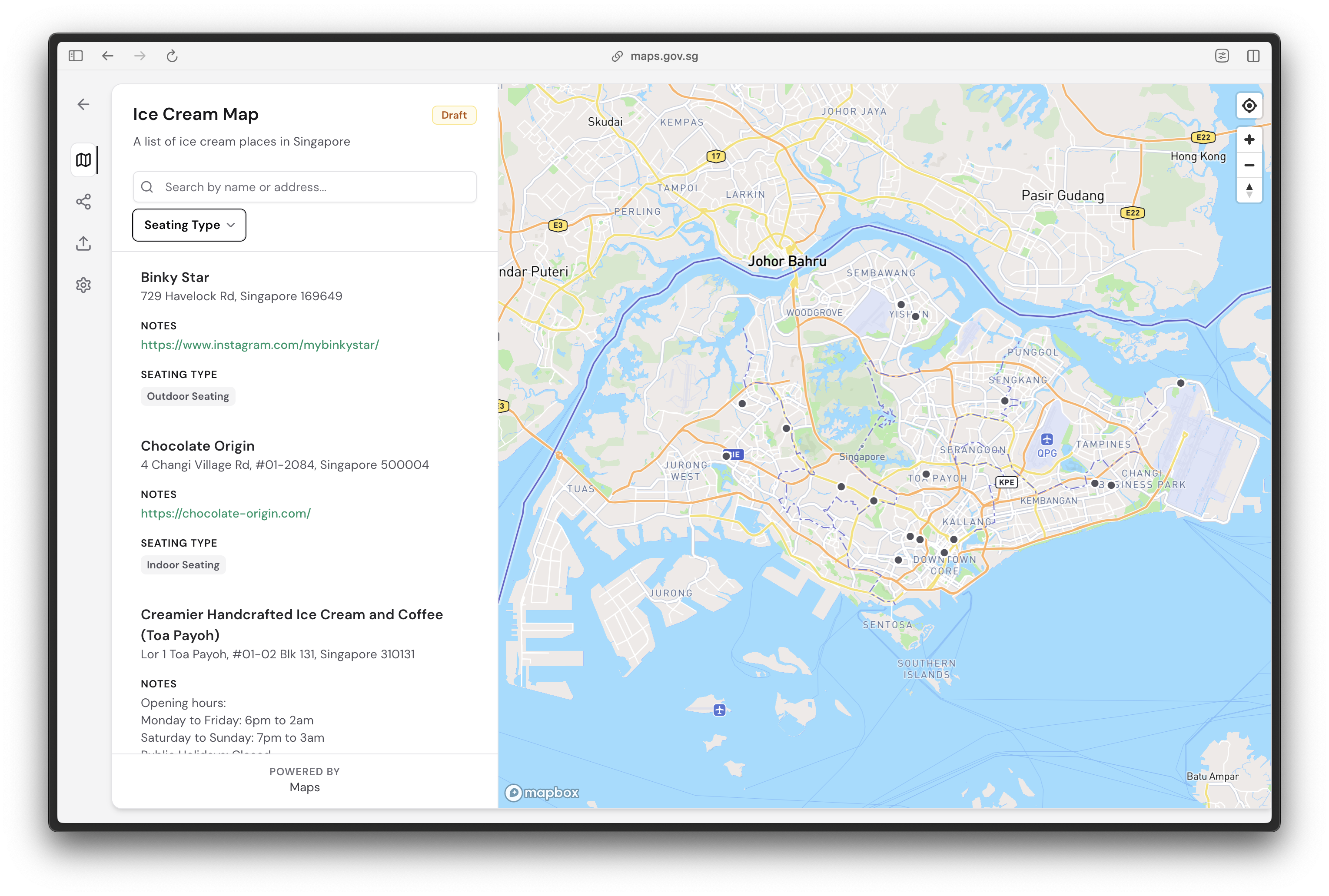
After setting up your CSV file, upload it to Maps and preview your locations mapped out accordingly in draft mode.
Filters will appear right below the search bar.
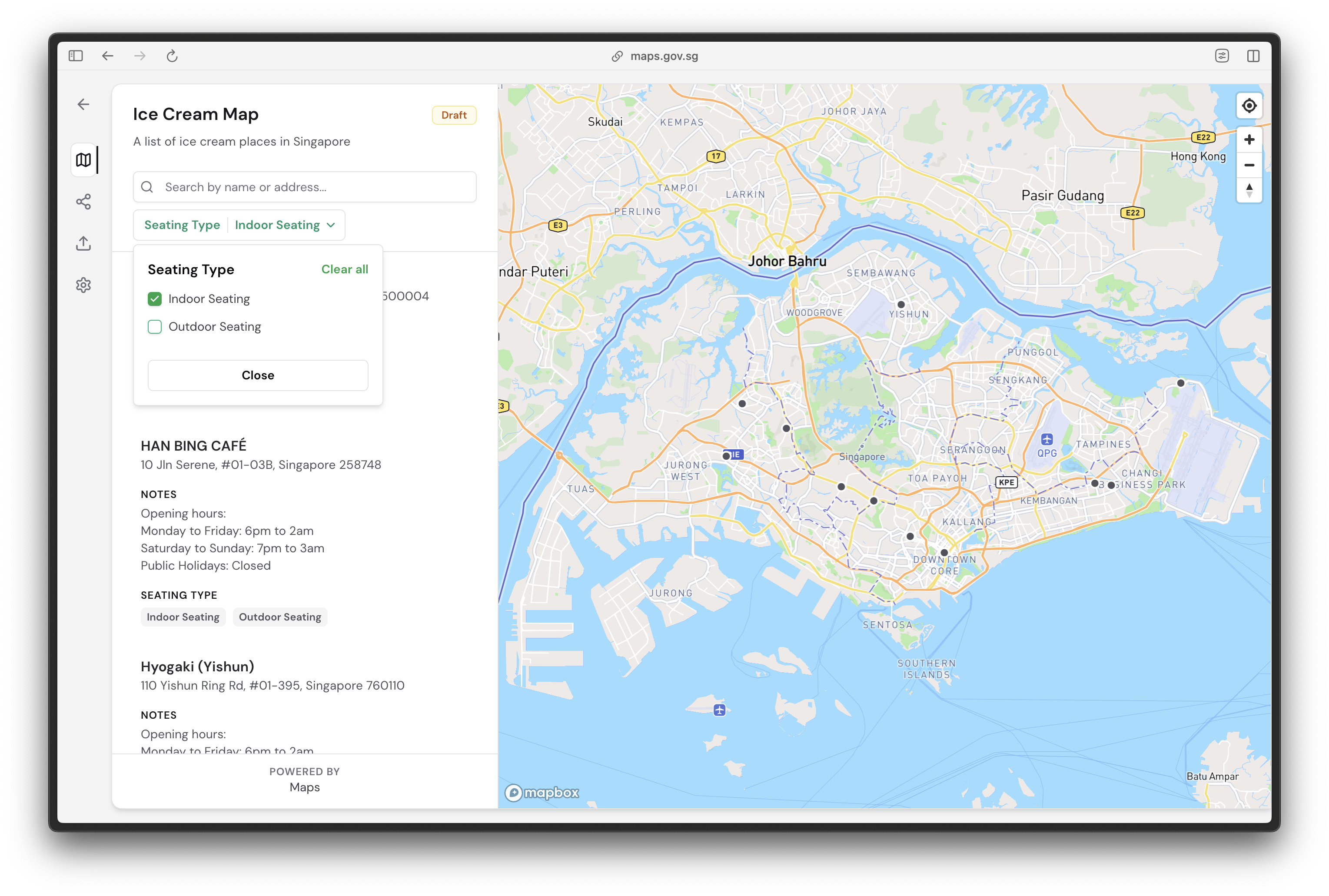
Users can click on each filter and interact with the dropdown menu to search for specific locations within their requirements.